Case study
Synchrony
How I take features from a Figma prototype to a shipped, production-ready interface, and keep a family of apps feeling like one product.
The problem
Teams needed to test credit decisioning logic, but the existing tool was so hard to learn that new users gave up and handed their work over to experienced colleagues. That slowed everyone down the business and frustrated the people the tool was meant to serve.
The main pain points:
- No real navigation: users couldn't tell where they were or how to get around
- Unclear inputs: nothing showed what was required versus optional
- No feedback: users couldn't tell what the system was actually doing
- No visible results: users couldn't see the outcome of their actions
User Research & Early Process
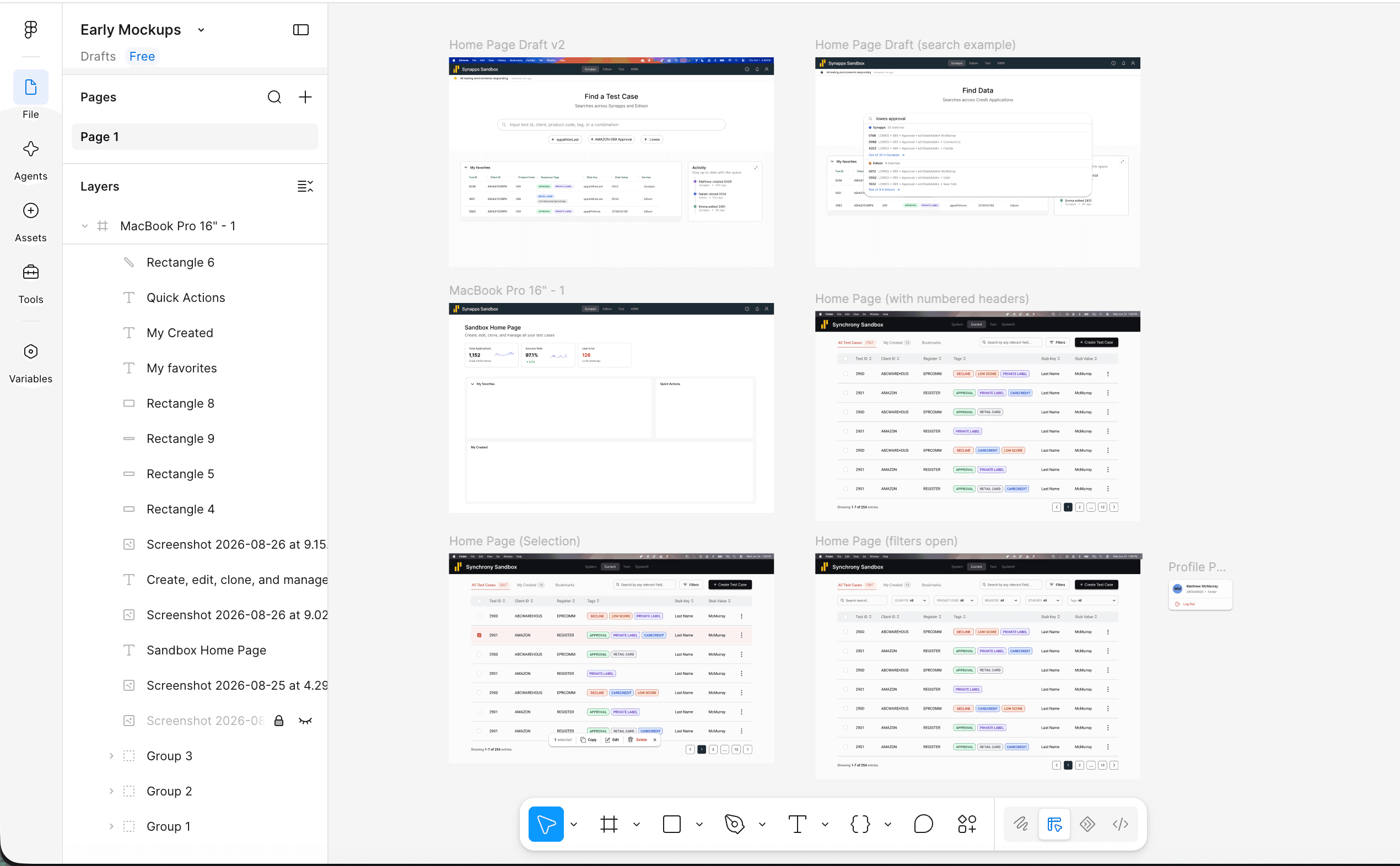
I began by talking to users who used the old tool and ones who didn't, and watched them try to complete tasks. Then, I put early mockups in front of them and iterated based on their feedback.
Their input shaped both the design and the features:
- Cut the home page: users said they’d skip straight past a landing screen, so the app opens directly into their work
- Role-based access: different users needed different powers, which became the permission system behind every action
- Cloning: users asked for a fast way to start from an existing record instead of from scratch
Building it
An important feature to highlight is the permission system, which controls who can do what. It was designed to be flexible and easy to maintain for developers, while providing a clear and consistent experience for the user.
One source of truth for permissions
To keep action rules from drifting out of sync, every decision lives in a single rules file documented by a role matrix. It separates each action to be used across the website for permission checks in a simple way.
/**
 * Permission rules: the single source of truth for what each role can do.
 *
 *               read  create  edit  override  duplicate  delete   lock    unlock
 *  ADMIN         ✓      ✓      ✓       ✓          ✓        ✓       ✓        ✓
 *  EDITOR        ✓      ✓      ✓       ✓          ·      owner     ✓    holder/owner
 *  MEMBER        ✓      ·      ·       ·          ·        ·     owner  holder/owner
 *  AUTOMATION    ✓      ·      ·       ·          ✓        ·       ·        ·
 *
 *  owner  = created the record
 *  holder = currently holds the lock (not always the owner)
 */
export const ROLES = Object.freeze({
  ADMIN: "admin",
  EDITOR: "editor",
  MEMBER: "member",
  AUTOMATION: "automation",
});

const RULES = {
  read: () => true,
  create: ({ role }) => role === ROLES.EDITOR,
  edit: ({ role }) => role === ROLES.EDITOR,
  override: ({ role }) => role === ROLES.EDITOR,
  duplicate: ({ role }) => role === ROLES.AUTOMATION,
  delete: ({ role, isOwner }) => role === ROLES.EDITOR && isOwner,

  toggleLock: ({ role, isOwner, lock }) => {
    if (role === ROLES.AUTOMATION) return false;
    // Unlocking: the current lock holder or the record's owner can release it.
    if (lock.isLocked) return lock.isHolder || isOwner;
    // Locking: editors can lock any record; members only their own.
    return role === ROLES.EDITOR || (role === ROLES.MEMBER && isOwner);
  },
};

export function can(action, { role, isOwner = false, lock = {} } = {}) {
  if (role === ROLES.ADMIN) return true;

  const rule = RULES[action];
  if (!rule) return false;

  return rule({
    role,
    isOwner,
    lock: { isLocked: false, isHolder: false, ...lock },
  });
}
Outcome
The redesign replaced a legacy application with a modern React web app that now supports the testing behind 1,000–3,000 credit applications every day
What changed:
- Faster: load times dropped by up to 65% through lazy loading and caching
- Easier to learn: clear navigation, labeled required fields and added tooltips when hovering so users can easily understand why things happen the way they do
- Safer to share: role-based access and record locking let teams work on the same data without stepping on each other's toes
- Works anywhere: responsive layouts and wrapping rules keep data-heavy screens usable on any screen size